
OCR Data Extraction for Invoices and IDs
An OCR and extraction service that turns scanned invoices, identity documents and application forms into validated structured data, with a review queue for anything the system is unsure about.
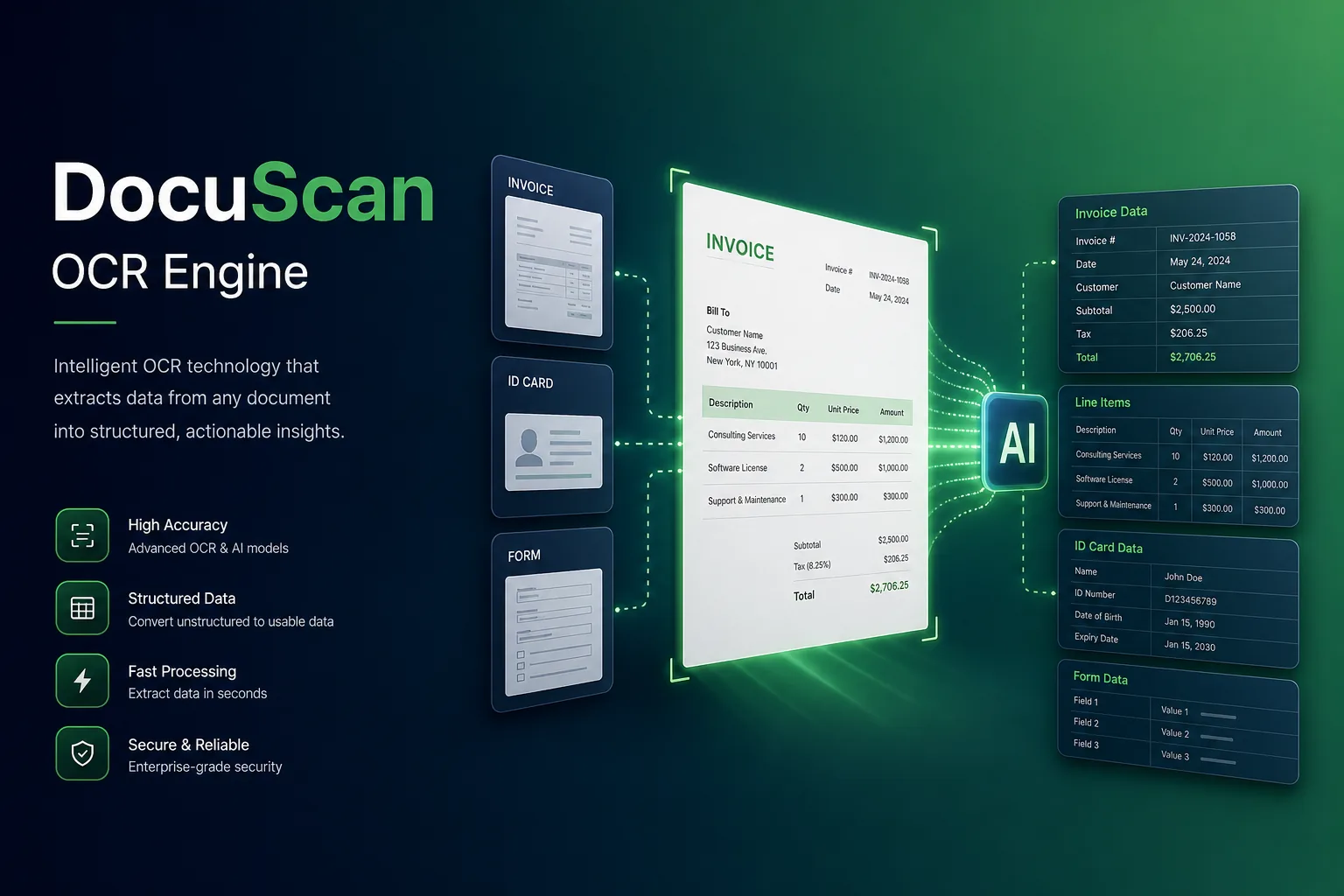
Project overview
We built a document extraction service for a back-office operations provider that processes supplier invoices, customer identity documents and paper application forms for several business units. Documents arrive as scans, phone photos and PDFs; the service classifies them, reads the text, extracts the required fields and hands clean data to downstream finance and onboarding systems.
The project covered document sampling, model selection and fine-tuning, the FastAPI extraction service, a validation layer, a human review interface and integration with the client's workflow tools. It is part of our computer vision development services, applied to one of the most common enterprise automation problems.
The client and the challenge
Data-entry teams keyed in fields from every document by hand. Invoice layouts differed by supplier, identity documents came in several formats and languages, and many forms were filled in by hand. Template-based OCR the client had tried broke whenever a supplier changed its invoice design, so staff ended up re-typing most documents anyway. Errors such as transposed digits in bank details were only discovered when payments failed.
The client wanted layout-independent extraction, checks that caught wrong totals or invalid ID numbers before data reached other systems, a fast review screen for uncertain fields, and strict handling of personal data on identity documents.
Solution architecture & delivery
Uploaded files go through a FastAPI endpoint that queues each page for processing. Pre-processing corrects rotation and skew, removes shadows from phone photos and splits multi-document PDFs. A lightweight classifier then labels each page as an invoice, an identity document, a known form type or something else, so each goes to the right extractor. Duplicate uploads are detected by file fingerprint, so the same invoice sent twice by email and portal is processed only once.
Text detection and recognition run on PaddleOCR, which we fine-tuned on the client's own samples, including handwritten form fields and low-quality scans. The OCR output keeps each word's position, and a layout-aware extraction model uses text plus position to pick out fields such as supplier name, invoice number, line items, tax and totals, or name, document number and expiry date on an ID. Because it reasons about layout rather than fixed coordinates, a new invoice design does not need a new template.
Every extracted field carries a confidence score and passes business validation: line items must add up to the total, tax must match the rate, dates must be valid, and ID numbers must satisfy their check-digit rules. Fields that fail validation or fall below a confidence threshold go to a review queue, where an operator sees the field highlighted on the original image and corrects it with a click. Corrections are saved as new training examples.
Identity documents are handled in an isolated processing path. Images are encrypted at rest, deleted after a configurable retention period, and visible only to roles that need them; the extracted record keeps a masked version of sensitive numbers for most users. Our security and compliance page describes the wider controls we apply to projects handling personal data.
Key features we built
- Upload by API, email inbox or web interface
- Auto-rotation, de-skew and multi-document PDF splitting
- Page classification into invoices, IDs, forms and other
- Fine-tuned OCR for printed, handwritten and low-quality scans
- Layout-aware field extraction without per-supplier templates
- Arithmetic, tax, date and check-digit validation rules
- Review queue with fields highlighted on the source image
- Encrypted, time-limited storage and masking for identity data
How we delivered it
- Document sampling. Collecting a representative, anonymised sample of each document type, including the worst scans and handwritten forms, and agreeing field definitions with each business unit.
- Model evaluation. Benchmarking OCR and extraction approaches on the sample, then fine-tuning on labelled pages where accuracy fell short.
- Build. Two-week sprints delivering the FastAPI service, validation rules, review app and integrations, with automated regression tests on a fixed document set, run through our CI/CD testing pipeline.
- Pilot. Invoices first, running alongside manual entry so operators could compare results, before adding identity documents and forms.
- Roll-out and support. Onboarding of further document types, periodic retraining from review corrections and monitoring for drift under a support agreement.
Technology choices
- Python — used for pre-processing, model fine-tuning, extraction logic, validation rules and the evaluation scripts.
- PaddleOCR — an open-source OCR toolkit with strong text detection and recognition that we could fine-tune on the client's documents and run inside their own environment.
- FastAPI — a typed, asynchronous API layer for uploads, job status and results, with automatic schema documentation for the integrating teams.
Outcomes
- Data-entry staff review flagged fields instead of typing every document
- New supplier invoice layouts are handled without building templates
- Arithmetic and check-digit errors are caught before data reaches finance and onboarding systems
- Identity documents are stored encrypted, masked and deleted on schedule
- Operator corrections continuously improve the extraction models
FAQ
Does the system need a template for each invoice format?
No. The extraction model uses both the text and its position on the page, so it generalises to new layouts. Unusual documents simply produce lower-confidence fields that go to review.
How is personal data on identity documents protected?
Identity documents use a separate processing path with encryption at rest, role-based access, masking of sensitive numbers and automatic deletion after a set retention period. The service runs within the client's own cloud environment.
Have you built related computer vision systems?
Yes. Our face recognition web application also deals with identity data and strict access controls, and our enterprise app development team handles the workflow integrations around projects like this.
How much does a document OCR extraction system cost?
It depends on the number of document types, handwriting, languages and integrations. Our app development cost calculator gives an indicative range for the application side, and we estimate model work after reviewing sample documents.
OCR Data Extraction for Invoices and IDs screens
Build your next ai model development product with Next Olive
Share your requirements — we will propose scope, timeline and stack within one business day.