
Desktop Accounting with GST/VAT Returns
A desktop accounting application for small businesses and their accountants: double-entry books, invoicing, bank reconciliation and GST/VAT return preparation that works fully offline.
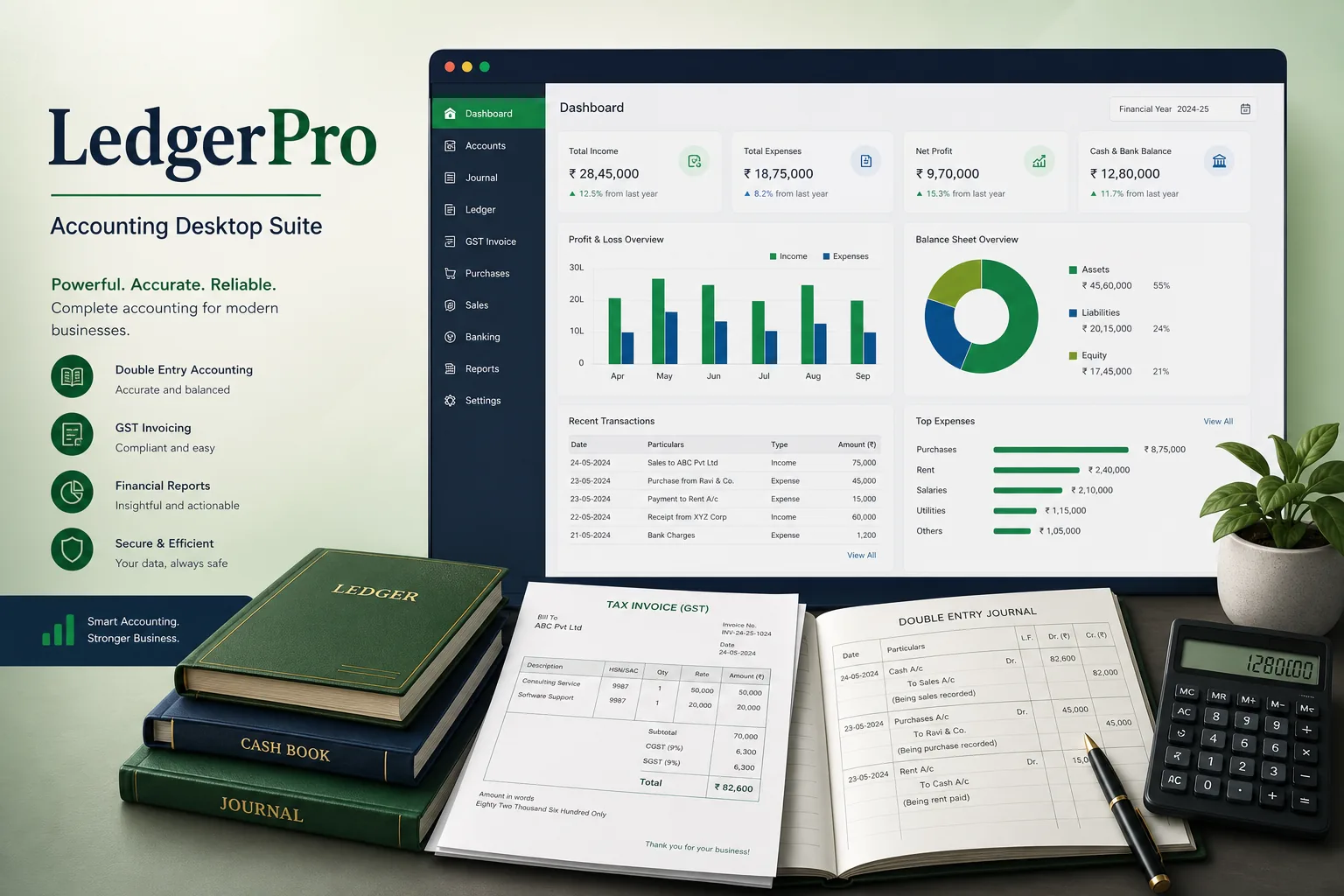
Project overview
We built a desktop accounting product for a software publisher whose customers are small traders, service firms and the accounting practices that keep their books. Users record sales and purchases, reconcile bank statements, run financial reports and prepare GST/VAT returns from a local company file, with no dependence on an internet connection.
The project covered product discovery, UX, an Electron application written in TypeScript, an SQLite storage engine, tax logic, installers and an update channel. It is part of our custom software development work and relates to our desktop POS and billing project.
The client and the challenge
The publisher's older product was hard to maintain, ran only on Windows and stored data in a format that corrupted easily when files were copied between machines. Tax rate changes required a full reinstall, and accountants handling many clients complained about slow data entry. Support staff spent much of their time repairing damaged company files and walking users through manual tax adjustments, which left little capacity for improving the product itself.
They wanted a cross-platform rewrite that kept strict double-entry integrity, prepared GST/VAT returns with rate and rule changes delivered as updates, supported fast keyboard entry, and let an accountant exchange company files safely with clients.
Solution architecture & delivery
Each company is a single encrypted SQLite file. Every document — invoice, bill, receipt, journal — posts balanced ledger lines inside one transaction, and database constraints plus a check in the TypeScript posting layer refuse any entry where debits and credits differ. Closed periods are locked, and corrections are made by reversing entries rather than edits, so the audit trail stays intact.
Tax codes are data, not code. Each code carries rates with effective dates and the return box it maps to, including reverse charge, exempt and input tax credit rules. When a return is prepared, the app aggregates tagged ledger lines for the period into the return boxes, shows the underlying transactions for each figure, and exports the file format the tax authority accepts. Rate changes ship as signed tax-table updates through the auto-update channel. Before a return is marked as filed, the app checks for unposted drafts, unreconciled bank lines in the period and transactions without a tax code, and lists them so the user can fix them first. Filing then locks the period for tax purposes.
Bank reconciliation imports statement files, suggests matches by amount, date and reference, and learns simple rules such as always coding a recurring supplier to the same account. Batch import utilities bring in opening balances, charts of accounts and transactions from spreadsheets with validation before anything posts.
The Electron shell renders a keyboard-first interface: every entry screen is navigable without a mouse, account and contact fields autocomplete, and common documents have shortcuts. Company files can be backed up and exported as an encrypted, checksummed package for an accountant, and user roles restrict who can post, approve or lock periods. Invoices print to standard printers and PDF.
Key features we built
- Double-entry ledger with balanced posting enforced in the data layer
- Sales and purchase invoicing with PDF and printer output
- Tax codes with effective-dated rates mapped to GST/VAT return boxes
- Return preparation with drill-down from each box to transactions
- Bank statement import with suggested matches and coding rules
- Encrypted single-file company data with checksummed accountant exchange
- Keyboard-first entry screens with autocomplete and shortcuts
- Signed automatic updates for the app and tax tables
How we delivered it
- Discovery. Interviews with accountants and small business users, a review of support tickets from the old product, and documenting tax return rules with the publisher's tax advisers.
- Architecture. Designing the posting engine, file format and encryption, and proving SQLite integrity when files are copied, backed up or opened on a different operating system.
- Build. Two-week sprints on ledgers, invoicing, reconciliation and returns, with automated tests that replay sample company books and compare reports with expected results.
- Beta. A closed beta with accounting practices migrating real client files, feeding back on data entry speed and return accuracy.
- Release and support. Signed installers, staged update rings and ongoing tax table maintenance, following our CI/CD pipeline.
Technology choices
- Electron — one desktop application for Windows and macOS with a modern interface, native file access, printing and auto-update support.
- SQLite — a transactional, single-file embedded database that suits portable company files and offline use.
- TypeScript — strict typing across posting rules, tax logic and UI, which catches accounting errors at compile time.
Outcomes
- The product runs on both Windows and macOS from one codebase
- Unbalanced or back-dated entries into closed periods are blocked rather than found at year end
- Tax rate changes reach users through signed updates instead of reinstalls
- Accountants trace every return figure back to its transactions before filing
- Company files move between accountant and client safely as encrypted, verified packages
- Power users post routine entries entirely from the keyboard
FAQ
How does the software keep GST/VAT rules up to date?
Tax codes, rates and return mappings are stored as data with effective dates. When rules change, the publisher releases a signed tax-table update through the automatic update channel, without reinstalling the app.
Does the accounting app work without the internet?
Yes. All books are stored in an encrypted local company file, so entry, reconciliation and reports work offline. A connection is only needed for updates and optional exports. Multi-user access on a shared network drive is handled with file locking and short write transactions, and the app refuses to open a company file that fails its integrity check, offering the last good backup instead.
Why Electron rather than a native Windows app?
Electron gave the publisher one TypeScript codebase for Windows and macOS. Where teams already run .NET, our .NET modernisation guide explains the alternative path. See also our fintech industry work.
How much does a custom desktop accounting application cost?
It depends on tax jurisdictions, reporting depth, integrations and migration tools. Our app development cost calculator gives an indicative range; contact us for a scoped quote.
Desktop Accounting with GST/VAT Returns screens
Build your next fintech product with Next Olive
Share your requirements — we will propose scope, timeline and stack within one business day.