
Offline Site Inspection App
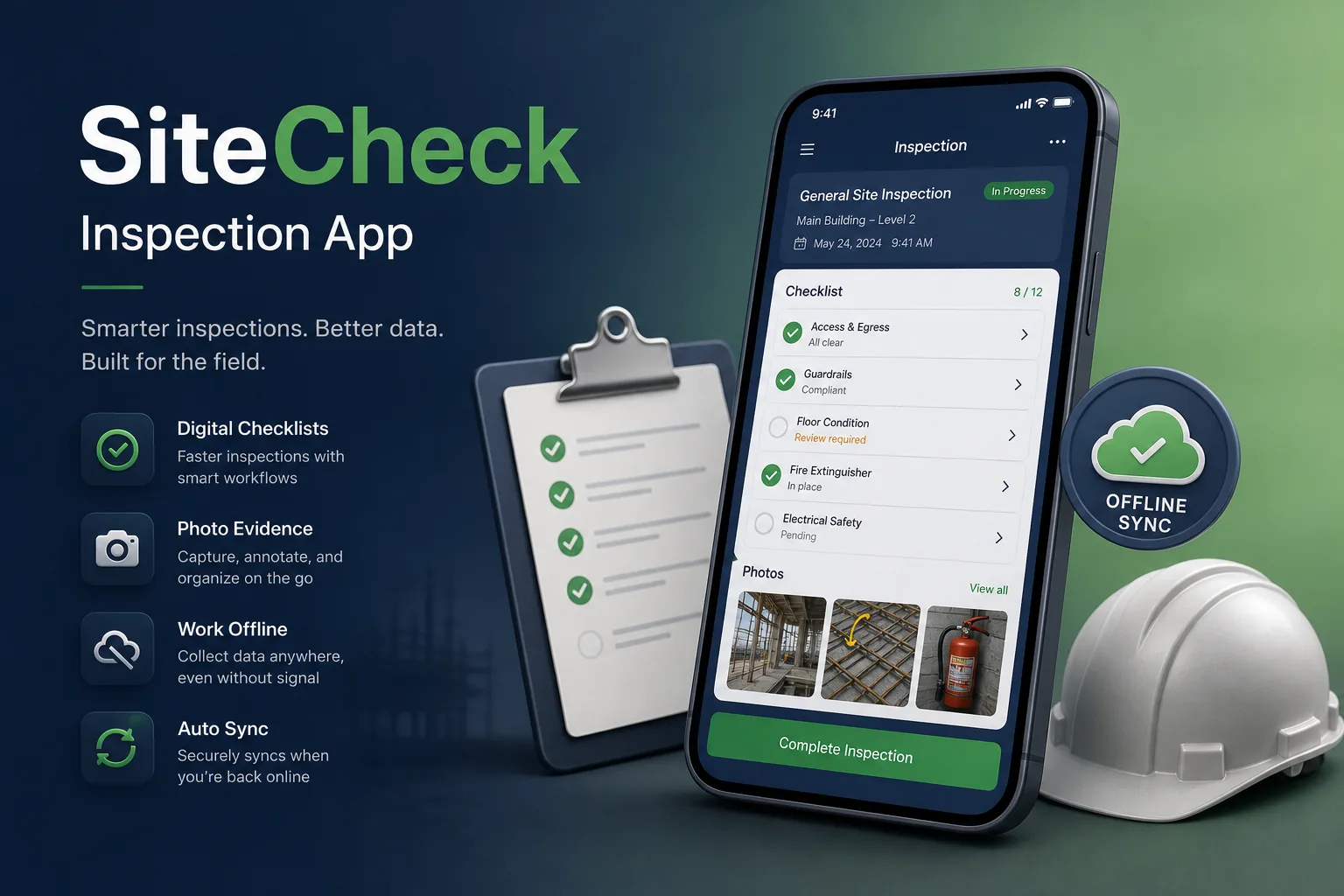
An offline-first inspection app that lets site engineers complete checklists, capture annotated photos and raise defects without signal, then sync and generate reports automatically.
Project overview
We built a field inspection app for a contractor running several building projects at once. Site engineers and quality inspectors use it to complete safety and quality checklists, photograph issues, assign defects to subcontractors and close them out, while the project office sees progress from a web portal.
The work covered discovery on live sites, the Flutter apps, an on-device SQLite database, a Node.js sync API and a reporting portal. It forms part of our mobile app development work for field teams who cannot rely on connectivity.
The client and the challenge
Inspections were done on paper forms and phone cameras. Photos had to be matched to forms later, reports were typed up in the office days after the visit, and defects were chased by email with no clear record of who fixed what. Checklist versions varied between projects, so the quality team could not compare results across sites or spot recurring problems with a particular subcontractor.
Basements, lift shafts and remote plots have little or no signal, so a connected-only app would fail exactly where inspections happen. The client also needed evidence that would stand up in disputes: timestamps, locations and an unaltered original of every photo.
Solution architecture & delivery
We used Flutter for a single app that runs on phones and rugged tablets. Everything an inspector needs — assigned projects, checklist templates, drawings and open defects — is downloaded to a local SQLite database before they go on site, so the whole inspection works in airplane mode. Templates are versioned, so an inspection always keeps the checklist it was started with even if the quality team edits the template later.
Each record is written locally with a unique ID and a change log. When a connection returns, the app pushes its changes to the Node.js sync API and pulls updates from others. Conflicts are resolved per field rather than per record, so one inspector changing a defect's status and another adding a comment both survive; genuine clashes on the same field are flagged for the project office to decide.
Photos are captured in-app with the time, GPS position and checklist item attached. The original file is kept untouched and a hash is stored with the record, while annotations such as arrows and circles are saved as a separate layer. Large images upload in the background in resumable chunks, so a dropped connection does not restart the transfer.
Defects move through open, assigned, fixed and verified states. Subcontractors receive a limited login showing only their items, upload a fix photo, and the inspector verifies it on the next visit. When an inspection is signed off, the API generates a branded PDF report for the client and stores it against the project.
Key features we built
- Configurable checklist templates for safety, quality and handover inspections
- Fully offline inspections with a local SQLite database
- Photo capture with timestamp, location and markup layers
- Pinning defects on uploaded floor plans and drawings
- Defect workflow with subcontractor assignment and verification
- Resumable background sync for data and images
- Digital signatures and automatic PDF inspection reports
- Web portal for templates, project dashboards and exports
How we delivered it
- Discovery. Days on active sites shadowing inspectors, collecting existing paper forms and mapping where signal dropped out.
- UX and prototype. Glove-friendly, high-contrast prototypes tested outdoors, which changed button sizes and moved photo capture to a single tap. Offline states were designed explicitly, with a visible sync indicator on every record.
- Build. Two-week sprints, starting with the offline database and sync engine before building checklists and defects afterwards.
- Field pilot. A pilot on one project, deliberately testing long offline periods and conflicting edits, with fixes verified in our CI/CD and testing pipeline.
- Roll-out and support. Onboarding the remaining projects and subcontractors, template set-up with the quality team and ongoing maintenance.
Technology choices
- Flutter — one codebase for phones and tablets on iOS and Android, with reliable camera, drawing and PDF viewing components.
- SQLite — a proven on-device relational database for complete offline operation, fast search and a local change log for sync. It also holds the queue of pending uploads so nothing is lost if the app is closed or restarted.
- Node.js — a sync API that handles many small change batches, chunked image uploads and report generation jobs.
Outcomes
- Inspections are completed on site, including where there is no signal, instead of written up later in the office
- Every photo is tied to a checklist item, time and location, giving a dependable evidence record
- Defects have a clear owner and status, replacing email chains with subcontractors
- Inspection reports are generated automatically at sign-off rather than typed by hand
- The project office sees open issues across all sites in one portal
- The quality team compares checklist results across projects and subcontractors from consistent, versioned templates
FAQ
How does the inspection app work without internet?
Projects, templates and drawings are downloaded to a local SQLite database before the visit. Inspections, photos and defects are saved on the device and synced automatically, in the background, when a connection returns.
What happens if two inspectors edit the same defect offline?
Changes merge field by field, so different edits both survive. If both people changed the same field, the record is flagged for the project office to resolve rather than silently overwritten. Every change keeps its author and timestamp, so the history of a defect can be reviewed during a dispute.
Can this approach work for other field teams?
Yes. The same offline sync pattern suits audits, maintenance and field sales; compare our field sales engagement software and the warehouse scanner app.
How much does a field inspection app cost to build?
Scope depends on offline requirements, template flexibility, integrations and reporting. Our app development cost calculator gives a starting range, and a short discovery phase firms it up.
Offline Site Inspection App screens
Build your next logistics & mobility product with Next Olive
Share your requirements — we will propose scope, timeline and stack within one business day.