
Offline Retail Inventory and Billing App
An offline-first desktop application for retail stores that handles barcode billing, stock levels, purchase orders and transfers, and syncs between branches when a connection is available.
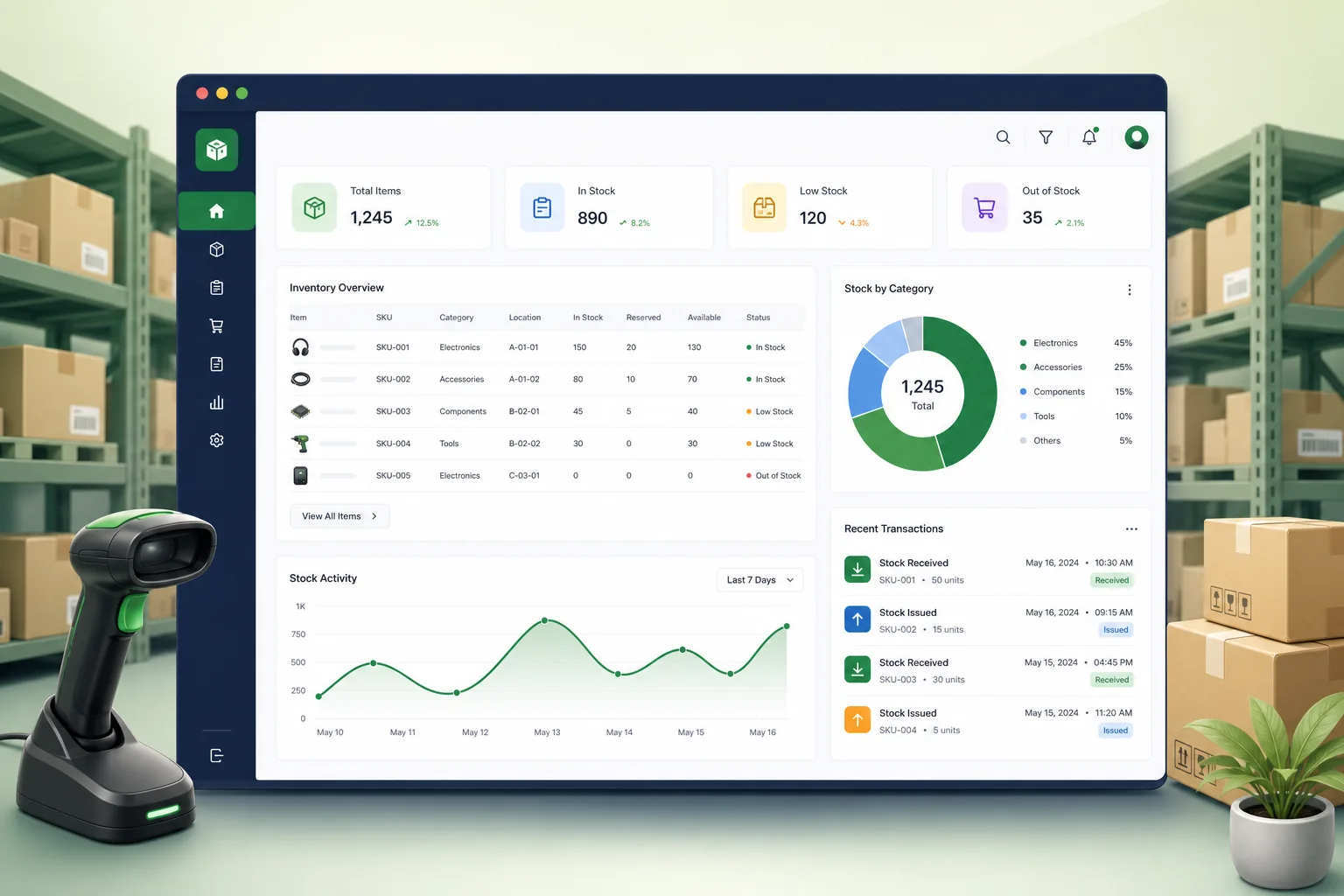
Project overview
We built an inventory and billing application for a retail chain selling hardware, household and electrical goods across several branches. Counter staff bill customers with barcode scanners and receipt printers, store managers receive stock and count shelves, and head office sees stock and sales across branches.
The project covered discovery, UX, a .NET WPF application, an SQLite local data store, a sync service, hardware integration and roll-out. It is part of our .NET software development work, alongside our desktop POS billing and warehouse scanner projects.
The client and the challenge
Branches used a hosted billing tool that stopped working whenever the internet dropped, which happened often in some locations. Stock was tracked separately in spreadsheets, so counts drifted, reorders were late and transfers between branches were agreed by phone with no record. Stock counts meant closing the store early, printing long lists and entering counts by hand, and the results rarely matched what the system expected, with no way to see where differences came from.
The chain wanted billing that never stops, one stock record per item per branch updated by every sale and receipt, purchase and transfer workflows, and consolidated reporting at head office — using ordinary Windows PCs and existing scanners and printers.
Solution architecture & delivery
Each counter runs the WPF application against its own SQLite database, so scanning, pricing, discounts, returns and receipt printing work with no network at all. Every business event — sale, return, goods receipt, adjustment, transfer — is written as an immutable stock movement with a unique ID, and on-hand quantity is derived from those movements rather than overwritten.
A background sync service pushes new movements to the branch and head-office server whenever a connection is available and pulls down price changes, new items and promotions. Because movements are append-only and uniquely identified, replaying them after an outage is safe and duplicates are ignored. Price conflicts are resolved in favour of head office, while stock movements from all counters are always kept. Stock counts are done by section with handheld scanners while the store stays open: sales made during a count are recorded as movements and taken into account, and differences are posted as adjustments with a reason code and the counting user's name.
Purchasing uses reorder points per item and branch: the app suggests purchase orders from current stock and recent sales, managers edit and send them, and goods received against an order update stock and flag short or over-deliveries. Inter-branch transfers are dispatched and received as two separate steps, so stock in transit is visible and discrepancies are recorded. Head office sees the same movement history, so any stock discrepancy can be traced to the exact sale, receipt, transfer or adjustment that caused it, along with the counter and user who recorded it.
The interface is keyboard-first with barcode input focused by default, quick item lookup and shortcuts for returns and payment types. It drives receipt and label printers, cash drawers and handheld scanners for stock counts. Local data is encrypted, staff log in with role permissions for discounts and voids, and batch utilities import item masters and supplier price lists.
Key features we built
- Barcode billing with discounts, returns and multiple payment types, fully offline
- Append-only stock movements for sales, receipts, adjustments and transfers
- Background sync of movements, prices and promotions between branches
- Reorder suggestions and purchase orders from stock and sales history
- Goods receiving with short and over-delivery flags
- Inter-branch transfers with in-transit stock visibility
- Receipt printers, label printers, cash drawers and handheld scanners
- Role permissions for voids and discounts, encrypted local data and batch imports
How we delivered it
- Discovery. Time at branch counters and stockrooms observing billing, receiving and counts, plus an inventory of the scanners, printers and PCs already in use.
- Sync design. Designing the movement model and conflict rules, and testing sync with simulated outages before building the full UI.
- Build. Two-week sprints on billing, stock, purchasing and transfers, with automated tests replaying movement logs to verify stock levels.
- Pilot. Running one branch in parallel with the old tool, then comparing counts and sales before switching over.
- Roll-out and support. Branch-by-branch installation with an automatic update channel and ongoing support; see our .NET modernisation guide for how we keep desktop stacks current.
Technology choices
- .NET WPF — a Windows desktop framework with direct access to serial and USB devices, printers and cash drawers, and a fast keyboard-driven UI.
- SQLite — an embedded, transactional database on every counter that needs no administration and keeps billing working offline.
Outcomes
- Counters keep billing through internet outages instead of turning customers away
- Stock levels follow every sale, receipt and transfer rather than drifting in spreadsheets
- Managers raise purchase orders from suggested reorder quantities
- Transfers between branches are recorded with stock in transit visible to both sides
- Head office sees consolidated stock and sales once branches sync
FAQ
How does offline billing sync without duplicating stock changes?
Every sale, receipt or adjustment is stored as an append-only movement with a unique ID. When the connection returns, movements are replayed on the server, and any already received are ignored.
Does it work with existing barcode scanners and receipt printers?
Yes. We integrated the chain's existing scanners, receipt and label printers and cash drawers through standard Windows drivers and device interfaces. New devices were tested in the pilot branch first, and the app includes a hardware setup screen so store managers can assign printers and scanners to a counter without calling support.
Can this connect to an online store later?
Yes. The server side exposes stock and price data that an e-commerce site can consume. Our ecommerce and retail page covers omnichannel integrations.
What does a retail inventory and billing application cost?
It depends on branch count, sync needs, hardware and reporting. Our app development cost calculator gives an indicative range; contact us for a detailed quote.
Offline Retail Inventory and Billing App screens
Build your next e-commerce & retail product with Next Olive
Share your requirements — we will propose scope, timeline and stack within one business day.