
Hospital Management Suite: OPD to Billing
A web-based hospital management system that follows each patient from registration through outpatient visits, admission, pharmacy and lab to a single consolidated bill.
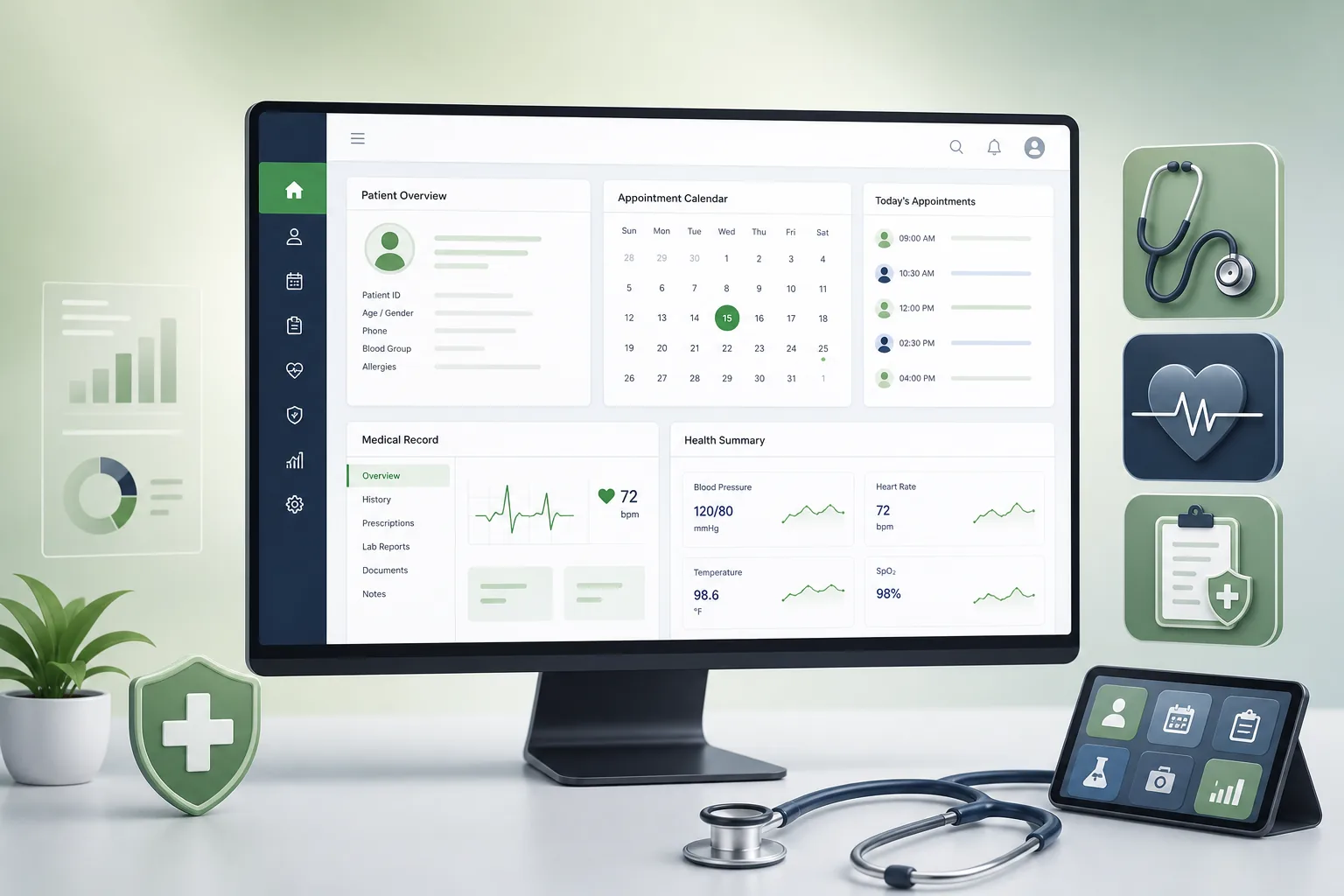
Project overview
We built a hospital management suite for a multi-specialty private hospital with outpatient clinics, inpatient wards, an in-house pharmacy and a diagnostic laboratory. Every department works on one patient record: registration creates it, doctors add consultations and orders, wards manage admissions, the pharmacy and lab fulfil orders, and accounts produce one bill.
The engagement covered process mapping across departments, UX, an Angular front end, ASP.NET Core services on SQL Server, data migration from the old systems and staff training. It is part of our hospital management software work within the healthcare practice.
The client and the challenge
The hospital was running separate tools for billing, pharmacy stock and lab results, with outpatient registers and ward notes still on paper. The same patient was registered several times under slightly different names, lab reports were delivered by hand, and discharge bills were assembled from multiple printouts, which delayed discharges and caused missed charges.
Management wanted a single system with one patient identifier, orders that flowed electronically between departments, charges captured at the point of service, and access rules strict enough for clinical data — without stopping the hospital while it switched over.
Solution architecture & delivery
The back end is a set of ASP.NET Core modules — patients, OPD, IPD, orders, pharmacy, lab, billing and administration — sharing one SQL Server database with clear schema boundaries. The Angular front end loads a role-specific workspace at sign-in, so a receptionist sees the appointment queue and registration, a doctor sees their OPD list and a pharmacist sees pending prescriptions.
Registration searches existing records by phone number, name and date of birth before creating a new patient, and flags likely duplicates for merging. In OPD, doctors record vitals, diagnosis, notes and orders in one screen. Each order — medicine, lab test, procedure — becomes a work item for the relevant department and a pending charge against the patient's visit, so nothing is billed from memory later.
For inpatients, the IPD module manages bed allocation, transfers between wards, nursing charts and daily charges such as room rent and consultant visits, which post automatically each day. The lab module tracks sample collection, result entry against reference ranges and pathologist approval; approved reports become visible to the treating doctor and can be printed or shared with the patient. The pharmacy module issues against prescriptions with batch and expiry tracking, and items falling below reorder levels trigger purchase requests.
Billing brings everything together: advances, package rates, insurer or corporate payers, discounts that need approval, and a final bill on discharge that lists every service with its source order. Access is role-based down to the field level, every view and edit of a clinical record is written to an audit log, and records can be amended but never deleted. The architecture choices mirror our guidance on modernising .NET applications.
Key features we built
- Patient registration with duplicate detection and a single hospital ID
- OPD queue, consultations, vitals and electronic orders
- IPD admissions, bed management, transfers and nursing charts
- Pharmacy dispensing with batch, expiry and reorder tracking
- Lab sample tracking, result entry and approved digital reports
- Consolidated billing with advances, packages, payers and approvals
- SMS and email alerts for appointments and ready reports
- Role-based access, audit trails and management reports with CSV and PDF export
How we delivered it
- Discovery. Time spent in each department — front desk, OPD, wards, pharmacy, lab and accounts — documenting paper forms, handoffs and billing rules before designing screens.
- UX and prototype. Department-specific prototypes reviewed with the staff who would use them, keeping high-volume screens like registration and dispensing to as few steps as possible.
- Build. Two-week sprints module by module, with each module demonstrated to its department before the next began, and automated tests on billing rules.
- Migration and go-live. Patient masters, pharmacy stock and open bills migrated from the old tools, then a phased go-live starting with registration and OPD, followed by pharmacy, lab and IPD.
- Support. On-site support during the first weeks of each phase, followed by ongoing maintenance and new reports, with integration hooks for our laboratory information system work.
Technology choices
- ASP.NET Core — modular, strongly typed services with mature authentication and authorisation, well suited to complex transactional rules in billing and orders.
- SQL Server — reliable transactions across orders, stock and billing, with auditing features and reporting the hospital's IT team already knew how to operate.
- Angular — a structured framework for a large, form-heavy application with many role-based workspaces maintained by one team.
Outcomes
- Each patient has one hospital ID used by every department instead of repeated registrations
- Orders move electronically from doctors to the pharmacy and lab rather than on paper slips
- Charges are captured at the point of service, so discharge bills no longer depend on collecting printouts
- Doctors see approved lab reports in the patient record without waiting for a courier
- Management reviews occupancy, revenue and pharmacy stock from live reports
- Every access to clinical data is attributable through the audit log
FAQ
Which departments does the hospital management system cover?
Registration, OPD, IPD and wards, pharmacy, laboratory, billing and administration all run on one patient record. Radiology and other departments can be added as further modules on the same foundation.
How is patient data protected in the HMS?
Access is role-based down to individual fields, every view and edit of clinical data is logged, records are amended rather than deleted, and data is encrypted in transit and at rest. The hospital's own policies decide who holds which role.
Can the HMS connect to telemedicine or patient apps?
Yes. The ASP.NET Core services expose APIs for appointments, prescriptions and reports, which is how a telemedicine app or patient portal can plug in.
How long does it take and what does a hospital management system cost?
It depends on the number of departments, data migration and integrations, and most hospitals phase the roll-out. Our software development RFP template helps you define scope, and the app development cost calculator gives an indicative range.
Hospital Management Suite: OPD to Billing screens
Build your next healthcare product with Next Olive
Share your requirements — we will propose scope, timeline and stack within one business day.