
Photo Studio Workflow Desktop App
A desktop workflow system for a photography studio that follows every order from booking and card import through culling, retouching, client proofing and final delivery.
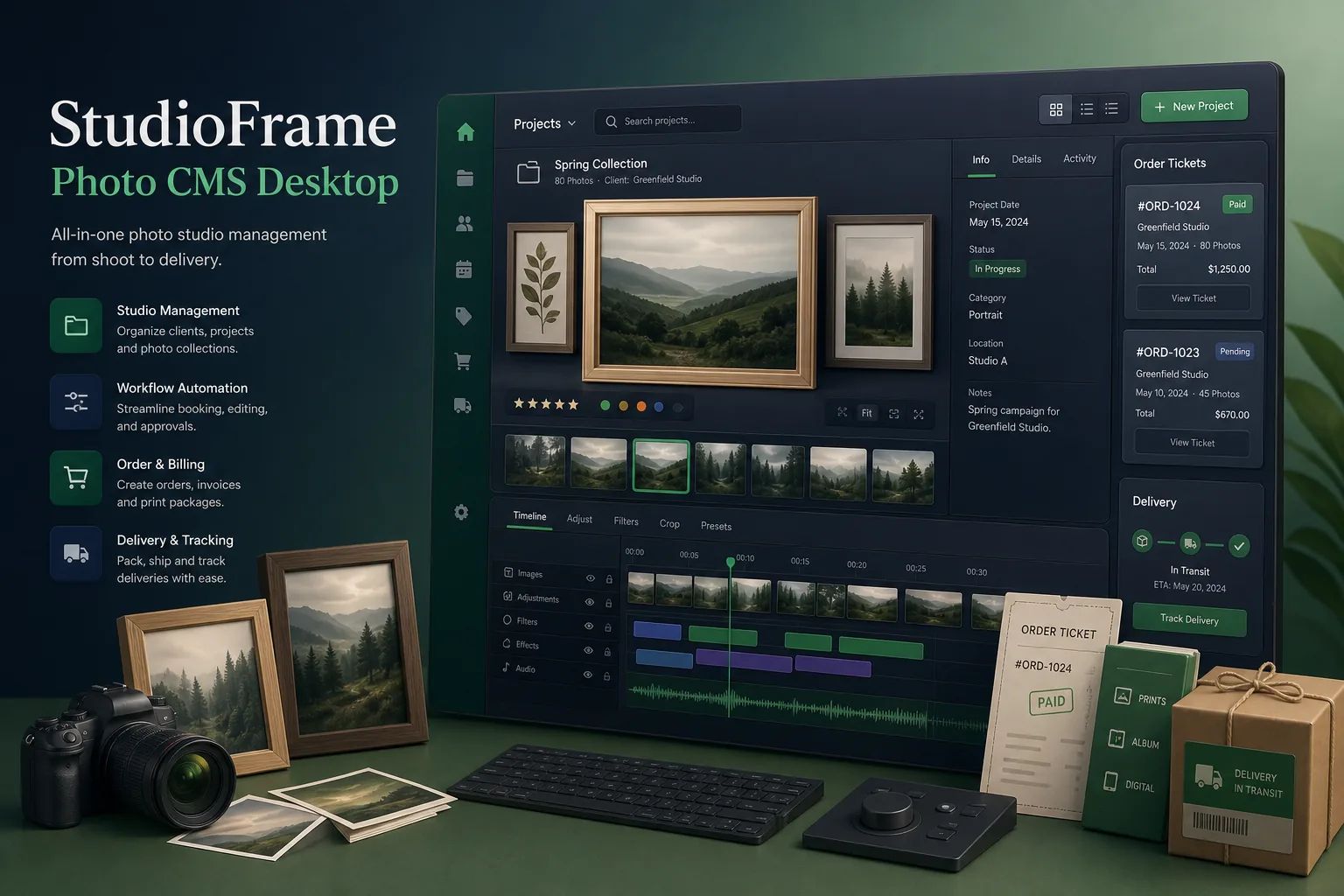
Project overview
We built a desktop workflow application for a busy photography studio that shoots portraits, events and product work. Front-desk staff, photographers, retouchers and the studio manager all work from the same app, which tracks each order from the booking through image import, culling, editing, client proofing, print ordering and final delivery.
The engagement covered workflow discovery, UX design, the Electron desktop client, the local data layer and the proofing and delivery exports, followed by a staged roll-out across the studio's workstations. It is part of our broader custom software development work for small and mid-sized operators whose tools have outgrown spreadsheets.
The client and the challenge
Before the project, orders lived in a booking diary, image folders were named by whoever copied the memory card, and retouching status was tracked on a whiteboard. Files went missing between the shooting and editing machines, clients chased proofs by phone, and the manager could not tell which jobs were late until a customer complained.
The studio needed one system that worked even when the internet connection dropped, handled large RAW image sets without slowing down, fitted around the editing software the retouchers already used, and made it obvious who owned each job at each stage.
Solution architecture & delivery
We chose Electron with a React interface so the same application runs on the Windows workstations at the front desk and the Macs in the editing room. Heavy file operations such as copying cards, generating previews and writing exports run in background worker processes, so the interface stays responsive while large batches of images move across disk.
Every order is a record in a local SQLite database with a clear state machine: booked, shot, imported, culled, in retouch, proofing, approved, printed and delivered. When a photographer inserts a card, the app detects it, asks which order the shoot belongs to, copies the files into a structured folder per order, verifies checksums and builds small previews. Changes are written locally first and replicated to a shared studio database whenever the network is available, with last-writer rules per field so two people editing different parts of an order never overwrite each other.
Retouchers do not change tools. The app hands selected images to their existing editor through watch folders and picks up finished files automatically when they are saved back, moving the job forward and logging who edited what. Proofing exports a watermarked, low-resolution gallery package that staff upload for the client; the client's picks are imported back as a simple selection file, which marks favourites and print sizes against the order.
The manager's dashboard shows jobs by stage, age and owner, flags anything waiting too long, and lists print-lab orders and outstanding balances. Signed auto-updates, role permissions and an encrypted local store were set up using the release practices described in our CI/CD and testing pipeline.
Key features we built
- Order records with a staged workflow from booking to delivery
- Memory-card detection with verified import into per-order folders
- Fast preview generation and keyboard-driven culling for large RAW sets
- Watch-folder hand-off to the retouchers' existing editing software
- Watermarked proof gallery exports and import of client selections
- Print-lab order sheets and final high-resolution delivery packages
- Offline-first local database with replication to a shared studio store
- Role permissions, encrypted local storage and signed automatic updates
How we delivered it
- Discovery. We shadowed a full shoot-to-delivery cycle, mapping every hand-off between the front desk, photographers and retouchers and noting where files and status were lost.
- UX and prototype. Clickable prototypes of the import, culling and job board screens were tested with photographers and retouchers, with keyboard shortcuts agreed before build.
- Build. Two-week sprints delivered the data layer, import pipeline, retouch hand-off and proofing exports, with regular test builds installed on real studio machines.
- Pilot and roll-out. One photographer's orders ran through the app first so we could tune import rules and replication conflicts before every workstation switched over.
- Support. Ongoing maintenance, OS compatibility updates and small workflow changes are shipped through the automatic update channel.
Technology choices
- Electron — a single desktop codebase for Windows and macOS with direct file-system access for card imports, watch folders and exports.
- React — a component-based interface for dense job boards and image grids, with state handling that keeps large previews smooth.
- SQLite — an embedded, zero-administration database that keeps orders and image metadata available offline on every workstation.
Outcomes
- Every order has one owner and one visible stage instead of status on a whiteboard
- Card imports land in consistent, verified per-order folders rather than ad hoc naming
- Retouchers keep their preferred editing tools while the app tracks progress automatically
- Clients receive proof galleries and return selections without back-and-forth phone calls
- The studio keeps working through internet outages and syncs when the connection returns
- The manager sees late and blocked jobs before customers have to ask
FAQ
Why build a desktop app instead of a web app for a photo studio?
Studios move very large image files between cards, local disks and editing software. A desktop app can read cards, watch folders and generate previews directly on the workstation and keep working offline, which a browser cannot do reliably. Our desktop inventory management case study uses the same offline-first approach.
Does the app replace photo editing software?
No. It manages orders and files around the editor. Selected images are handed to the retouchers' existing tools through watch folders, and finished files are picked up and logged when they are saved back.
How does the app avoid conflicts when several staff edit the same order?
Each workstation writes to its local SQLite store first and replicates to the shared studio database. Changes merge field by field, so a retoucher updating edit status and the front desk updating payment on the same order do not overwrite each other. A similar local-first model runs in our offline POS billing case study.
How much does a custom studio workflow app cost and how long does it take?
It depends on the number of workflow stages, hardware and software integrations, and whether client-facing proofing is included. Use our app development cost calculator for an indicative range, then we can scope a phased plan.
Photo Studio Workflow Desktop App screens
Build your next desktop applications product with Next Olive
Share your requirements — we will propose scope, timeline and stack within one business day.